


Apple’s first foldable iPhone went on sale on 23 October, and early reviews have been mixed. Critics praise its design and the possibilities of its larger screen, but point to its weight, price and a familiar problem: many apps still aren’t built to make the most of the space.
On Duo, an app can simply stretch to fill the screen, leaving black bars and awkwardly placed controls. Or it can rethink its layout to make room for more content, better multitasking and new ways to interact.
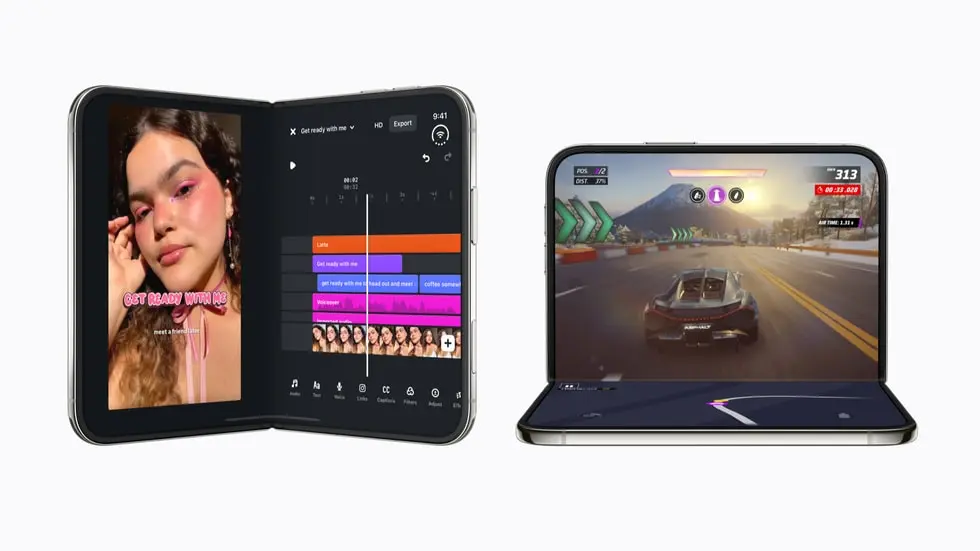
Apple highlighted more than 50 apps that are optimised or soon will be optimised for iPhone Duo. The difference matters: while existing iPhone apps can run on the device, only those adapted to its displays and folding positions can make the most of the format. From April 2027, apps built with the iOS 27.1 SDK or later must include Duo screenshots in App Store Connect to meet Apple’s requirements.
We looked at the apps making the most of the format and the ideas brands can take from each.
9 Apps that use the Duo well
#1 Netflix: the fold as a hand-off
On the closed phone you scroll short Clips on the 5.4-inch outer screen. Open it and the same video carries on across the 7.6-inch inner display, without a restart. Netflix says the experience adapts as the device opens, closes or turns.
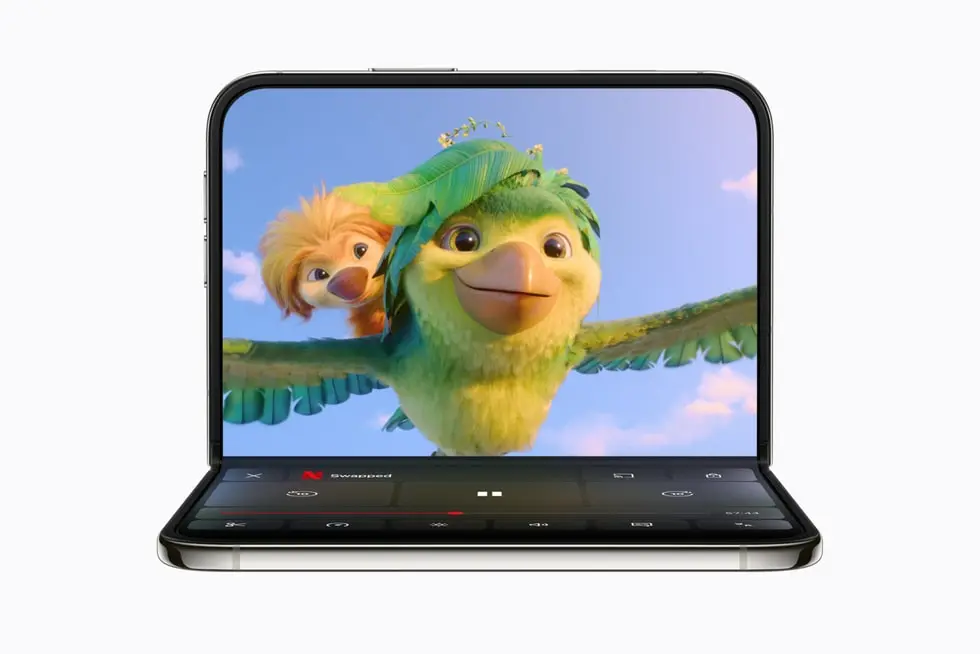
Idea to borrow: decide what your app does on each screen. A quick check on the outside, the deeper task on the inside, and no lost state in between.
#2 MLB: the game on top, the stats on the table
Set the Duo half open on a table and the live game plays on the upright half. Meanwhile, real-time stats fill the half lying flat. MLB’s product lead puts it simply: fans no longer have to pick between the broadcast and the box score.
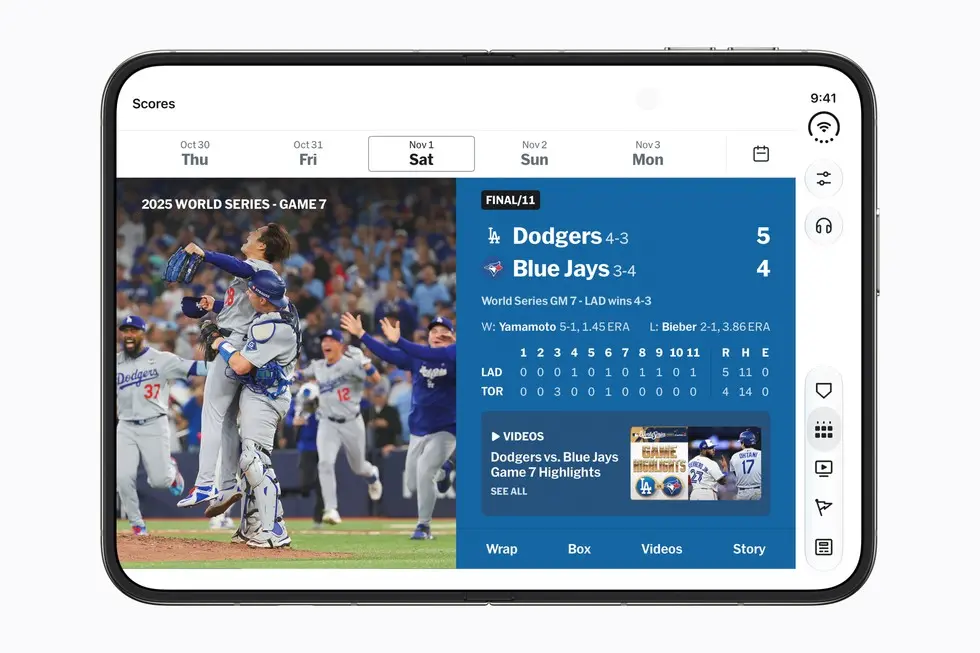
Idea to borrow: any app with live data can split watching and checking across the fold. Think of a match centre, a trading screen or a claim that’s being processed.
#3 Flighty: a mode only the hinge allows
Opened flat, Flighty pushes its map to the edges and keeps flight details in a narrow column. The clever part is En Route Mode. You fold the Duo into a tent on the tray table, and it shows your flight’s progress while you watch a film or read. So the question for your own app is simple: when could your customer’s phone stand on a table?
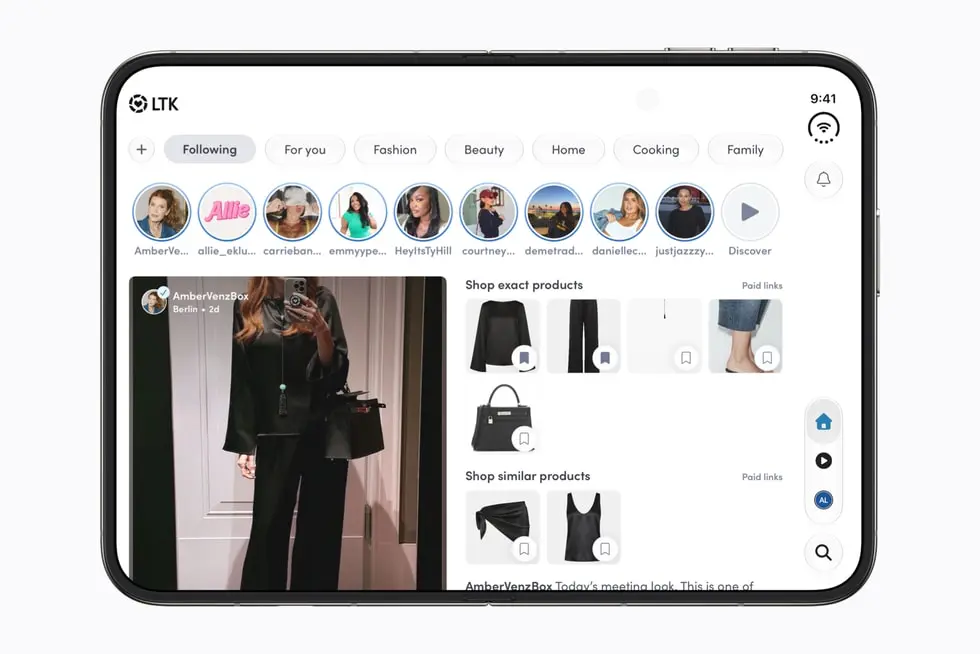
#4 LTK: the video and the products in one view
LTK lets shoppers watch a creator’s video and browse the exact products featured in it, in the same view . For retail and luxury brands, this is the pattern to study. The inspiration and the basket sit side by side, so nobody has to jump between tabs.
#5 Lyft: the options and the route at once
Opened flat, Lyft lists the ride options down one side and keeps a large route map beside them. Riders compare price, wait time and car size while seeing exactly where they’re going, without switching screens. Each option shows its price and pickup time, from Standard to XL, with the fastest one highlighted at the top. Payment, scheduling and the booking button sit in the same panel, so the whole decision happens in one place.
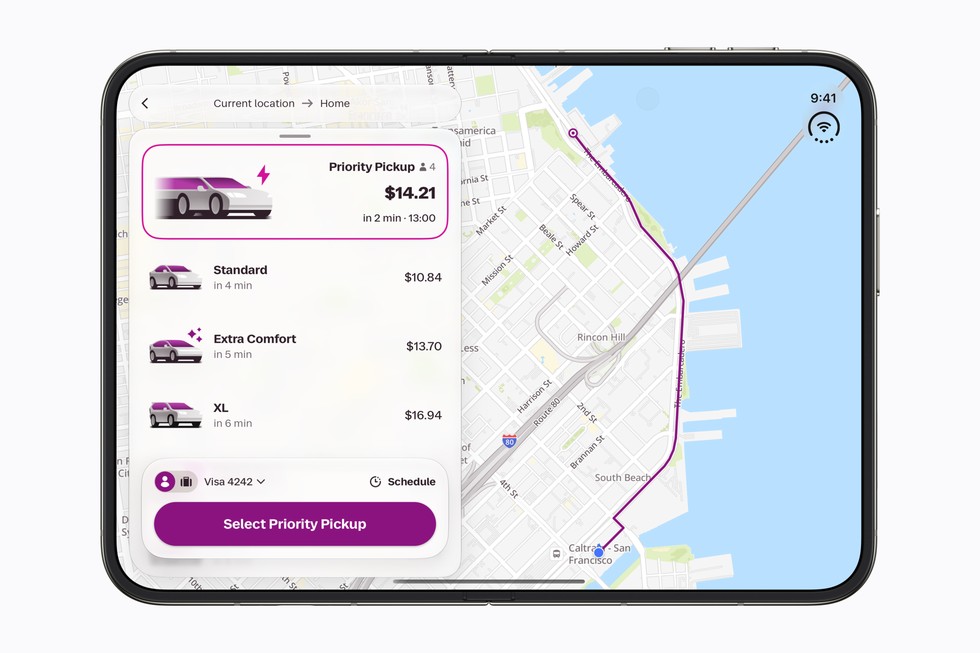
Image: Apple
Apple groups Lyft with the airline apps that keep trip details close at hand. Lyft shipped the update on launch day, and early owners already list it among the apps that feel built for the Duo rather than stretched.
Idea to borrow: Keep the choice and its consequence on one screen. For taxi, parking, car-sharing and delivery apps, options and prices sit next to the map, so customers decide faster and tap back less.
#6 Wakeout: one layout per posture
The movement-break app designed separate screens for closed, open, tent and laptop positions. Open like a book, the video sits on one side of the fold. In laptop mode it moves to the upright half. Closed, the tab bar shrinks to a slim side menu.
What to borrow: postures are use cases. Map yours before you map screens.
#7 Yelp: list and map side by side
Yelp puts maps and reviews next to each other, so you can compare places without tapping back and forth. Any app where people compare things gains most from two panes, for example insurance quotes, flights or bank branches.
#8 Microsoft Word, Outlook and Slack: Split View for real work
The Duo brings Split View to Apple’s phone for the first time, so two apps can run next to each other. Word places its formatting tools beside the document, and Outlook shows the inbox next to a full message. Slack, Zoom and Salesforce use the extra room too.
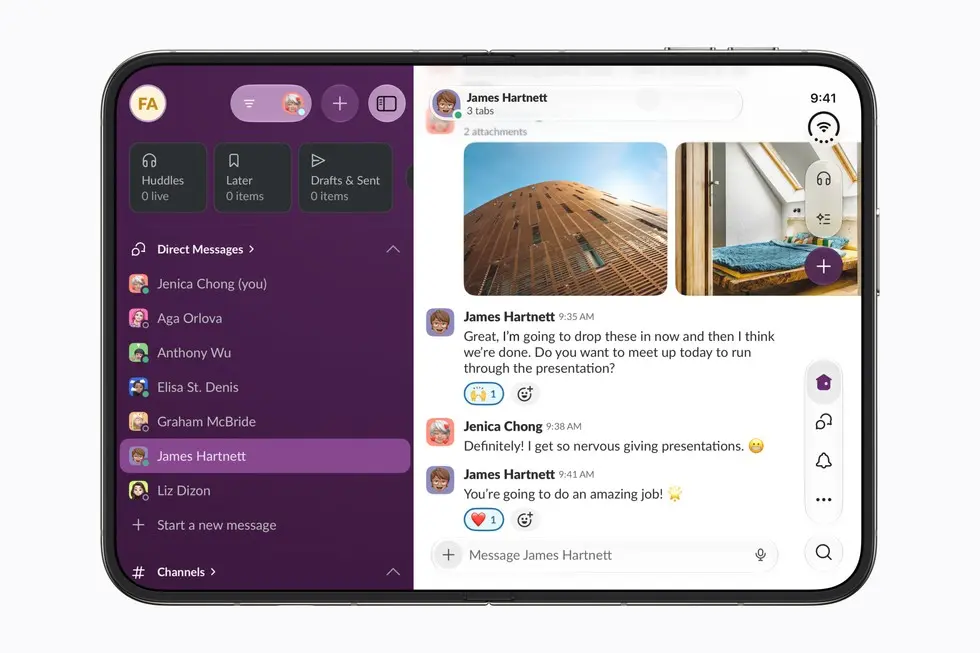
Image: Apple
Split View also remembers. Tap the divider between two open apps and the Duo saves them as a pair. From then on, opening either app brings back both, side by side. So a customer might keep your banking app next to a spreadsheet, or your shop next to Messages, and open that pair every day.
Idea to borrow: your app will often share the screen with another one, and it may become one half of a pair someone opens daily. Therefore, test it at half width, not only full screen, and ask which app yours is most likely to sit next to.
#9 Deck-Man: a product that needs a hinge
Indie developer Vidit Bhargava turned the Duo into a cassette player. You open it to pick an album and insert the tape, then close it to start listening. TechCrunch’s reviewer called it the first app that made her want a Duo. Most brands won’t build a toy. However, one small Duo-only touch gets talked about far more than a resized layout.
What foldable apps mean for brands that own an app
The Duo starts at $1,999 in the US and CHF 1,999 in Switzerland. As a result, the first people holding one are likely to be senior professionals and early adopters. For banks, insurers, sports clubs, media groups and premium retailers, that is often the customer who matters most. We’ve written before about why these customers have the least patience for a clumsy app.
Those customers will notice. One well-known reviewer, John Gruber, wrote that he stopped opening apps that hadn’t been optimised. He also pointed out that some apps, like your bank’s, can’t simply be swapped for a competitor. We read that as a warning rather than a comfort, because people who can’t leave quietly use you less.
The basic step is simple. Rebuilding with Xcode 27.1 lets an app fill the inner display, and standard SwiftUI and UIKit components adapt on their own. The apps above go further: they use the hinge angle, two-pane layouts and content on both screens at once. That’s where design work starts, and where a brand gets to look like it planned for this device.
If you want the technical side, our guide on how to prepare an application for a folding screen covers the four postures and the bugs we find most often in audits.
Where to start with your own app
Our view: don’t redesign everything for launch. Pick the one journey your best customers use most, and make it feel built for the fold.
If you’d like a second pair of eyes, send us your App Store link. We’ll show you how your most-used screen looks on the Duo today, and what we’d change first.